Maintenance plans and the dispatch queue
Who this is for: office administrators, contract managers and dispatchers.
What you will learn: how recurring work becomes a queue of occurrences, and how those occurrences become jobs.
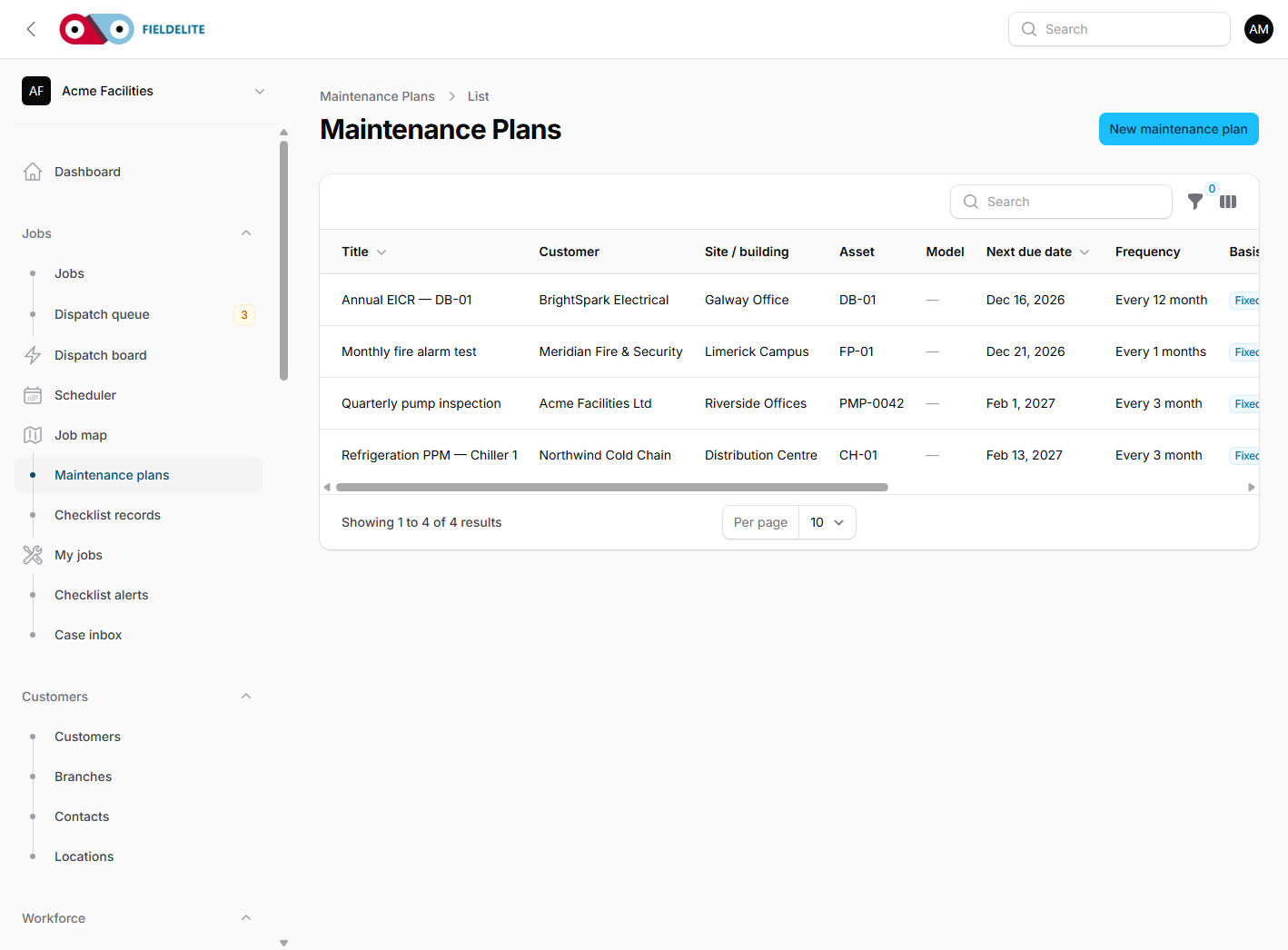
Plan, occurrence, job
| Term | Meaning |
|---|---|
| Maintenance plan | The recurring obligation: "inspect the pump every quarter" |
| Occurrence | One due instance of that plan |
| Job | The actual work, with a worker, time and record |
The plan holds the recurrence, asset, checklist, required skills, lead time and service agreement reference.
Create a plan
- Go to Maintenance plans → New plan.
- Choose the customer, branch and asset.
- Choose the checklist template.
- Set the recurrence:
- fixed calendar (for example, every 3 months)
- meter or usage based, where configured
- Set the next due date and the lead time.
- Set the priority and estimated duration.
- Add instructions for the engineer.
- Choose an Accountable owner for blocked or overdue follow-up.
- Select Create.
The system generates occurrences as they come into the lead window. Each plan row shows an Owner and a Generation state. A blocked plan explains whether it is inactive, has no matching assets, or is waiting on an open occurrence; use Assign owner to make the follow-up accountable.
Work the dispatch queue
Open Dispatch queue to see occurrences that are due:
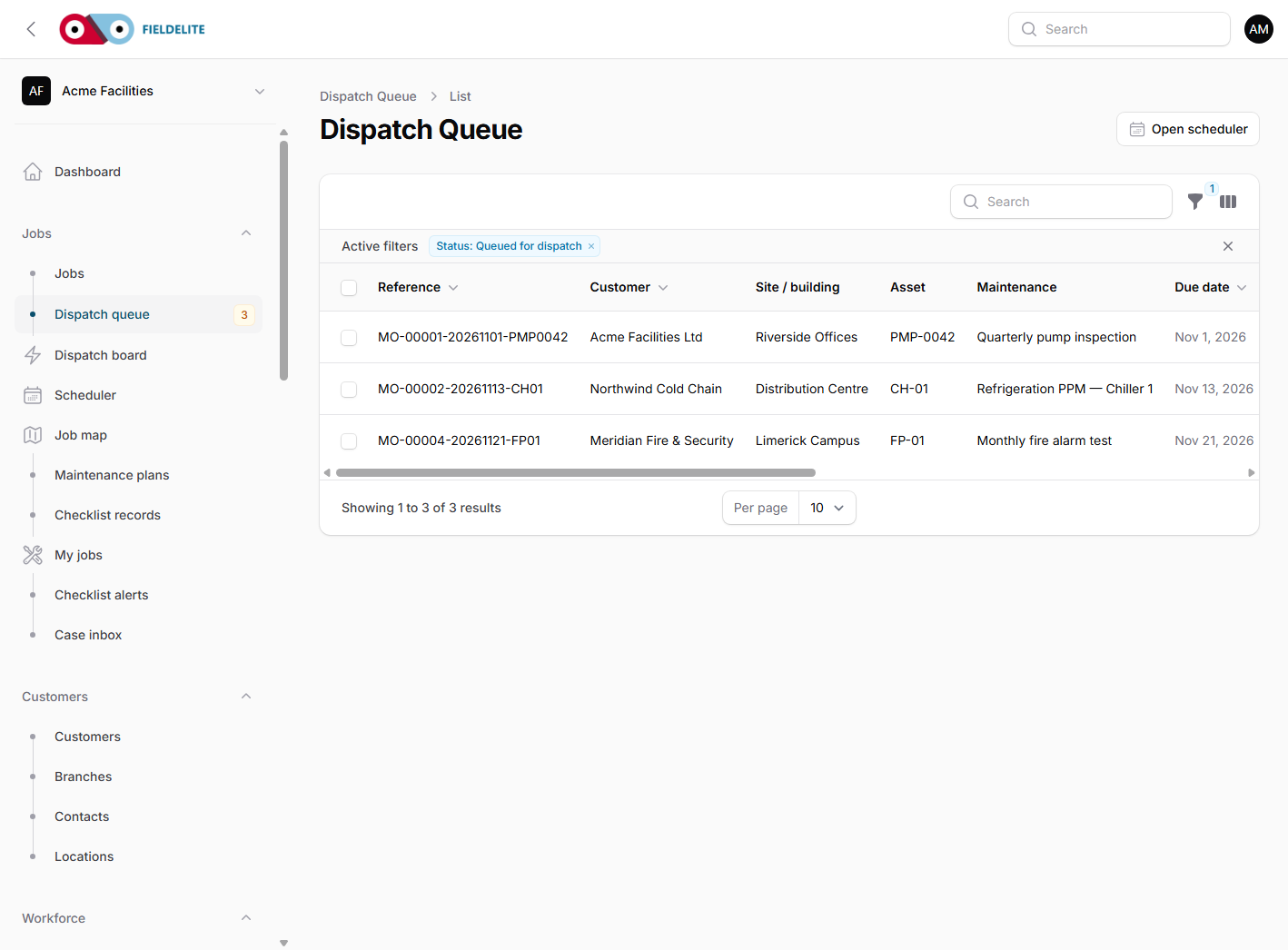
- Filter to Due, Overdue, Overdue and unscheduled, Missed, or No accountable owner.
- Open an occurrence and review the asset, checklist, instructions, Exception reason and Owner.
- Create or assign a job. The worker must still pass the same day-start and vehicle-defect safety gates used by the scheduler, dispatch board and offers.
- Schedule the job.
- When the job is complete, close the occurrence with the outcome.
Tip: Keep
max_open_occurrencesat 1 for safety-critical inspections. It prevents a second occurrence being raised before the first is closed.
Missed and held work
- Missed — the due date passed without completion. The system records a reason and keeps the occurrence open for dispatch.
- On hold — waiting for access, parts or customer approval. Add a reason.
- Cancelled — no longer required. State whether the cancellation closes the obligation.
- Overdue and unscheduled — due date has passed and no job is linked. Assign an owner and schedule or hold it.
- Overdue scheduled — a linked job is past the maintenance due date. The job supervisor owns the follow-up.
Reports show overdue maintenance so a contract manager can act before a customer notices. The system does not auto-dispatch missed work or invent a catch-up policy.
Scheduled commands
The operations team runs:
php artisan maintenance:generate
php artisan maintenance:mark-missed --days=7
maintenance:generate creates due occurrences and prints a warning for active plans that were
skipped for a reason other than “not yet inside the lead time”. maintenance:mark-missed flags
occurrences that passed their window and records the reason.
A monthly contract review
- Open Maintenance plans and filter to active.
- Check every plan has a next due date and a checklist.
- Open Dispatch queue and clear overdue items.
- Check required skills against the crew roster.
- Export the operations report for the customer meeting.
Check your understanding
- What is the difference between a plan and an occurrence?
- What does lead time control?
- Why keep one open occurrence for safety-critical work?
Related: Scheduling and dispatch · Assets and documents
Related articles
Who this is for: everyone in the office workspace. What you will learn: where the help centre lives, how to search it, and how to get from a screen to the right article. Open the h...
Who this is for: office administrators, dispatchers, managers and finance users. What you will learn: how to sign in to the right workspace, find your way around, and set up your p...
Who this is for: office administrators, dispatchers and managers. What you will learn: how FieldElite models a customer, its sites and the people on site — and how to give a custom...
Who this is for: office administrators, dispatchers, managers and supervisors. What you will learn: how to raise a job, assign it, move it through the status workflow, and close it...