Incidents, hazards and assistance cases
Who this is for: managers, supervisors and office administrators.
What you will learn: how to triage an incident, near miss, hazard or supervisor-assistance request, raise a work hold, assign corrective actions and close the case with evidence.
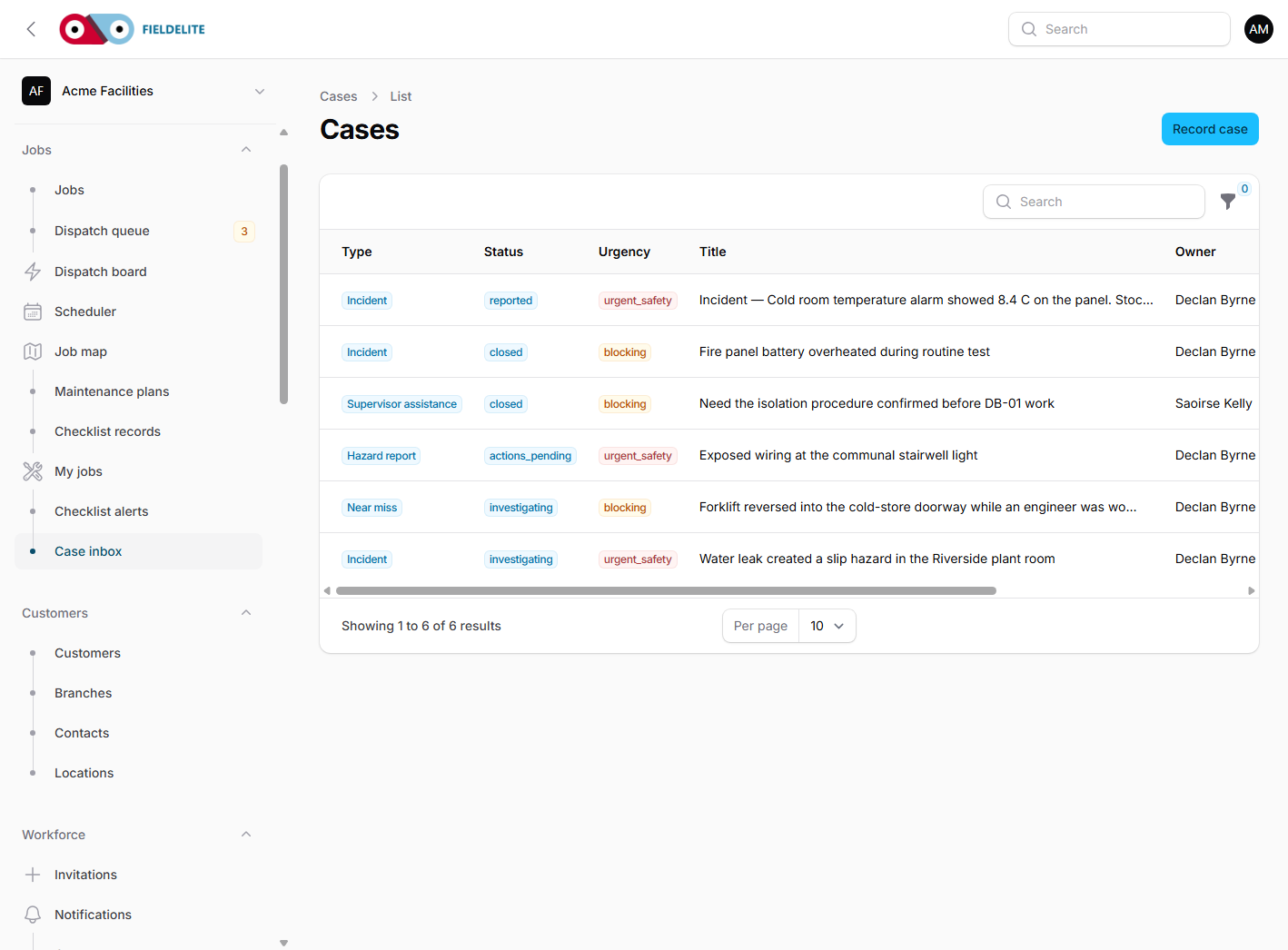
One inbox, four report types
| Type | Use it when |
|---|---|
| Incident | Something happened: injury, damage, spill, dangerous occurrence |
| Near miss | Something almost happened |
| Hazard report | A condition could cause harm |
| Supervisor assistance | A worker needs a decision, advice or authorisation |
Cases are not jobs. A case records the safety or operational event; a job records the work. A case can link to a job, visit, shift, checklist, asset or vehicle.
The case inbox
Open Jobs → Case inbox. Use the filters:
- type, status and urgency
- new / unacknowledged
- blocking work
- unassigned
- owner
The list shows the reporter, owner, work impact, acknowledgement time and active holds.
Triage a new case
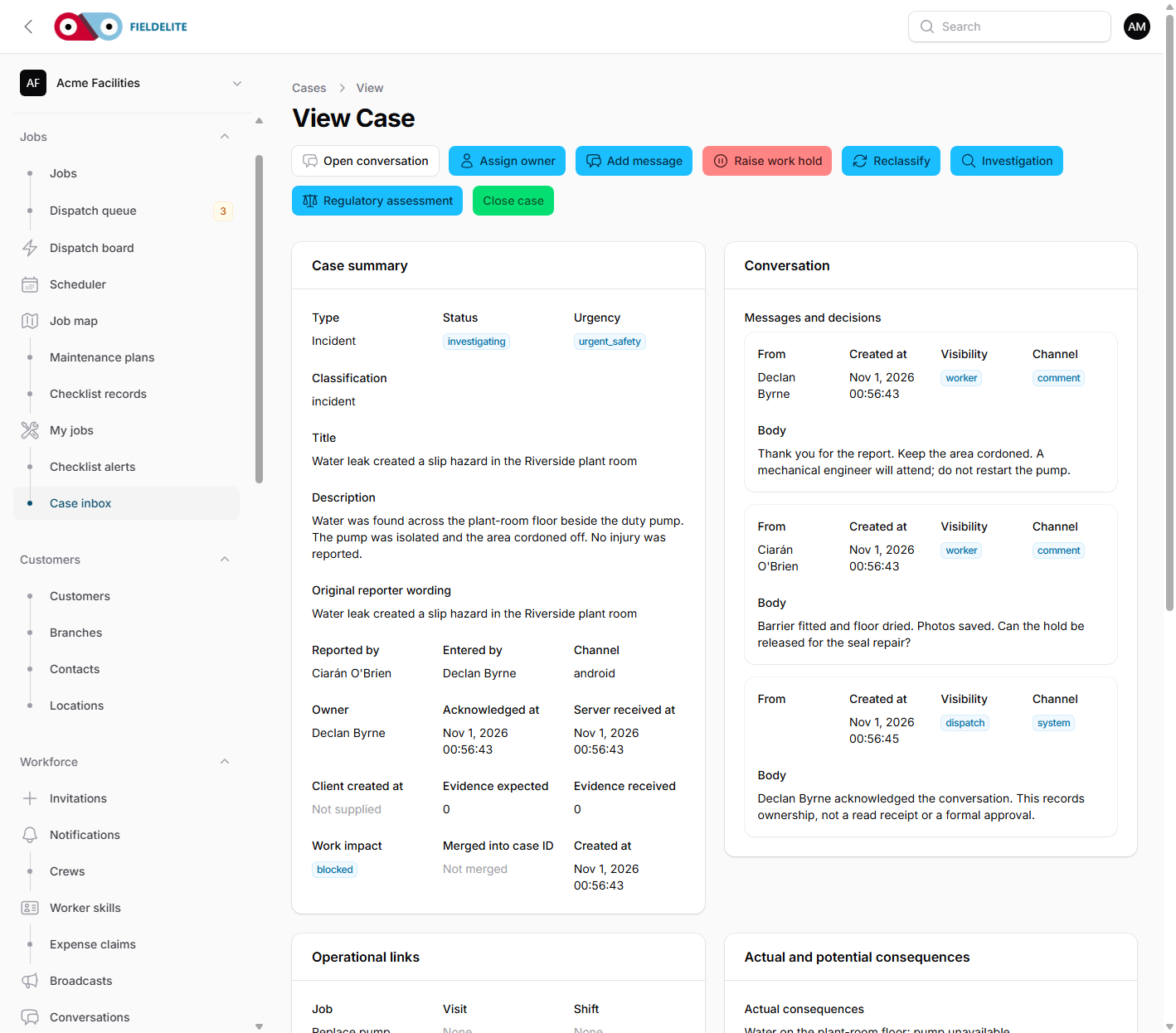
- Open the case.
- Read the original reporter wording and the description.
- Check the immediate condition: ongoing, contained or unknown.
- Check whether work is stopped, anyone was injured, or there is immediate danger.
- Acknowledge the case. This records that a person has seen it; it is not a resolution.
- Confirm or change the owner and backup owner.
- Set or confirm urgency and classification.
- Add an internal or worker-visible message.
Warning: Acknowledging a case is not proof that the reporter received help. If someone is in danger, call them or the emergency services.
Shared conversation with the field app
The Operational inbox under Workforce → Conversations is the shared thread between the office and the worker app. It holds job conversations, office-team conversations and case conversations.
- Open Conversations.
- Pick the job, case or team conversation.
- Read the thread and reply with Send message.
- Use Assign to record ownership and Acknowledge to record that a person has seen it.
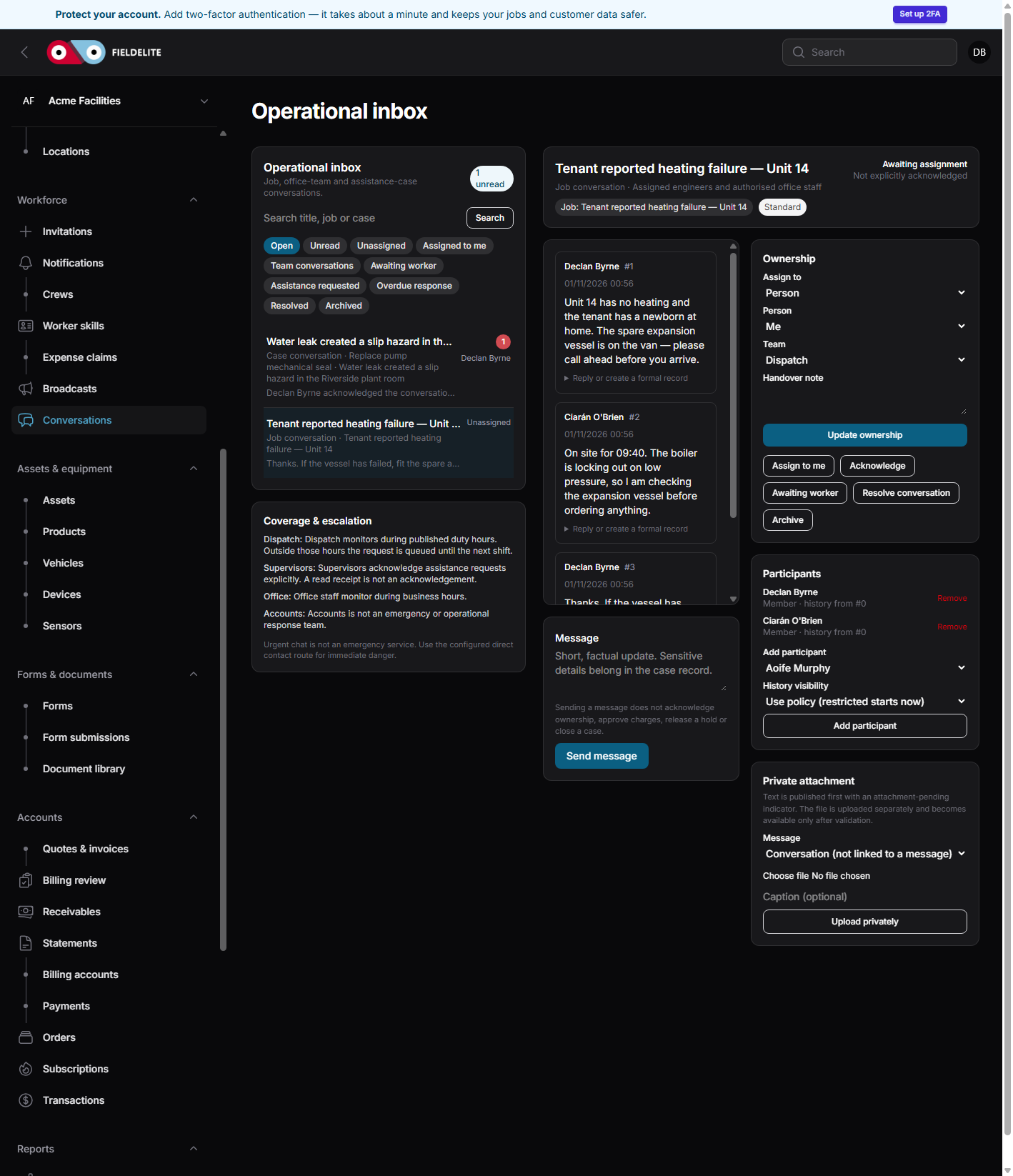
- Office replies appear on the worker's phone in the same thread.
- Worker messages appear here with the sender, sequence number and server time.
- Reading a message is not an acknowledgement and not a read receipt.
- Attachments are stored privately and only participants can download them.
A case conversation reuses the case messages, so the case record, the conversation and the evidence stay together. This is the quickest way to replace a phone call that would otherwise be lost.
Work holds
A work hold stops affected work without closing the case or the job.
- Open the case.
- Add a hold with a scope: task, asset, visit, vehicle, equipment, job, shift or checklist.
- Record the reason.
- Record the release requirements.
- Set whether reassessment is required.
Releasing a safety hold needs the right permission and, where required, a completed reassessment. Releasing the hold does not complete the job or close the case.
Tip: A failed checklist answer can raise a hold automatically if the template is configured that way. The hold is visible on the job and in the case.
Corrective actions
- Add an action with a clear description, owner, due date and priority.
- The owner completes it with notes.
- A verifier checks the evidence and verifies the action.
- The case moves on only when the required actions are verified.
Use actions for the fix, not for the investigation narrative.
Investigation
For a significant incident or near miss:
- Record the timeline.
- Record immediate and root causes.
- Record which controls were ineffective.
- Record findings.
- Submit for review.
- An authorised manager approves or returns it.
Witness statements are restricted. Only users with sensitive-case permission can read them.
Regulatory assessment
The regulatory assessment is a record of a decision, not an automatic report to a regulator.
- Record the jurisdiction and authority.
- Record the assessment status and decision basis.
- Record any deadline.
- Record the submission status and authority reference if a report was made.
The tenant's competent person must verify the decision against current guidance.
Close a case
Before closing:
- the immediate danger is controlled
- required actions are verified
- the investigation is approved where required
- the regulatory assessment is recorded
- the reporter has been told the outcome
Closing a case does not release a safety hold and does not complete a job.
Routing rules
Open Jobs → Case routing rules to send cases to the right owner.
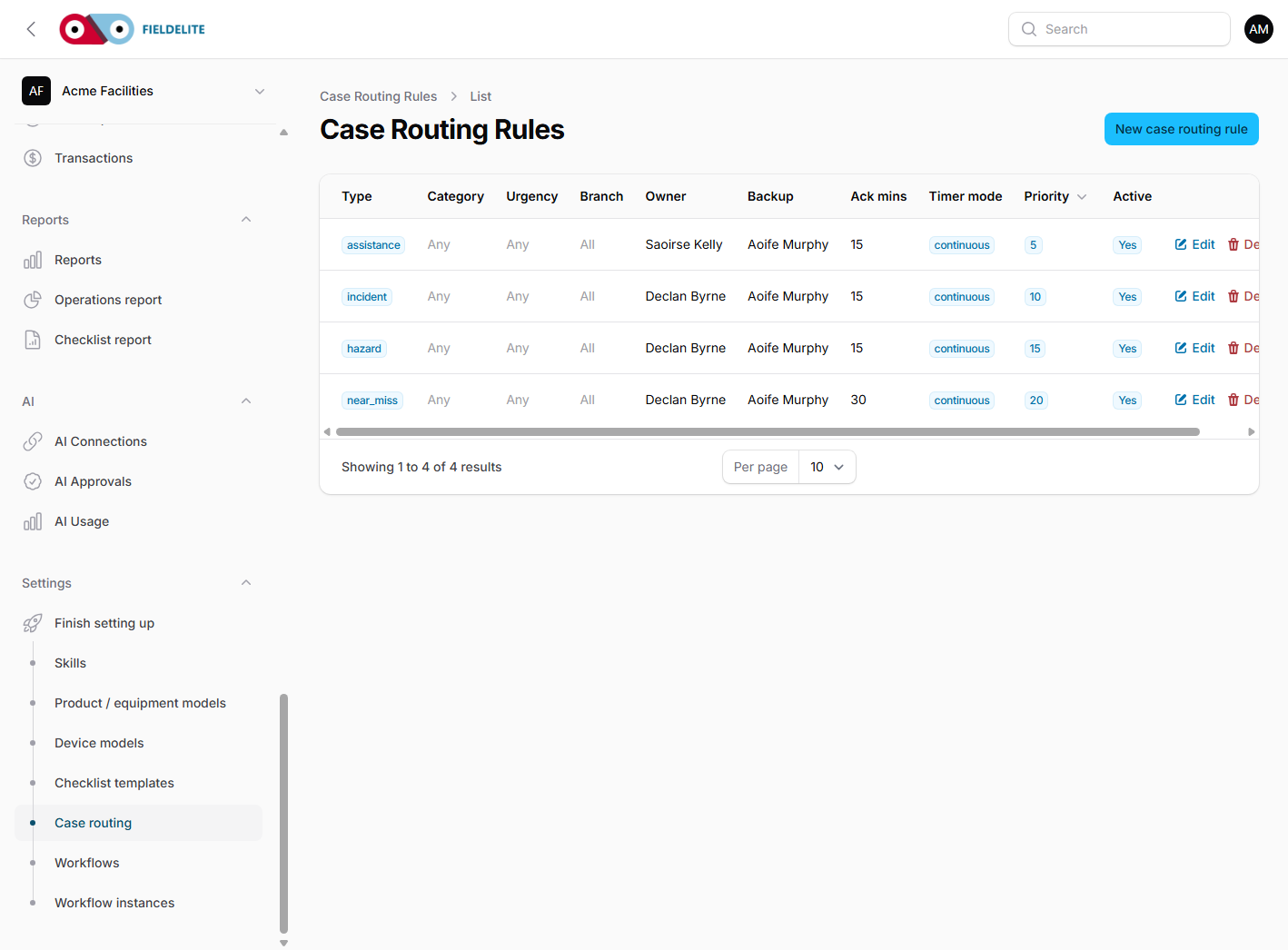
Rules can match branch, type, category and urgency. Set acknowledgement and response targets, plus a backup owner and manager. Cases with no matching rule go to the unassigned fallback queue.
Service levels
| Urgency | Default acknowledgement | Default response |
|---|---|---|
| Routine | 8 hours | 16 hours |
| Blocking work | 1 hour | 2 hours |
| Urgent safety | 15 minutes | 30 minutes |
These are configured defaults. Change them to match the contract and the work.
Check your understanding
- What is the difference between acknowledging and resolving a case?
- What must be true before a safety hold is released?
- Why is the regulatory assessment not an automatic regulator submission?
- Where do you configure case ownership?
Related: Jobs and the job lifecycle · Lifecycle checklists, alerts and reports · Field: reporting incidents and asking for help
Related articles
Who this is for: everyone in the office workspace. What you will learn: where the help centre lives, how to search it, and how to get from a screen to the right article. Open the h...
Who this is for: office administrators, dispatchers, managers and finance users. What you will learn: how to sign in to the right workspace, find your way around, and set up your p...
Who this is for: office administrators, dispatchers and managers. What you will learn: how FieldElite models a customer, its sites and the people on site — and how to give a custom...
Who this is for: office administrators, dispatchers, managers and supervisors. What you will learn: how to raise a job, assign it, move it through the status workflow, and close it...