Feature
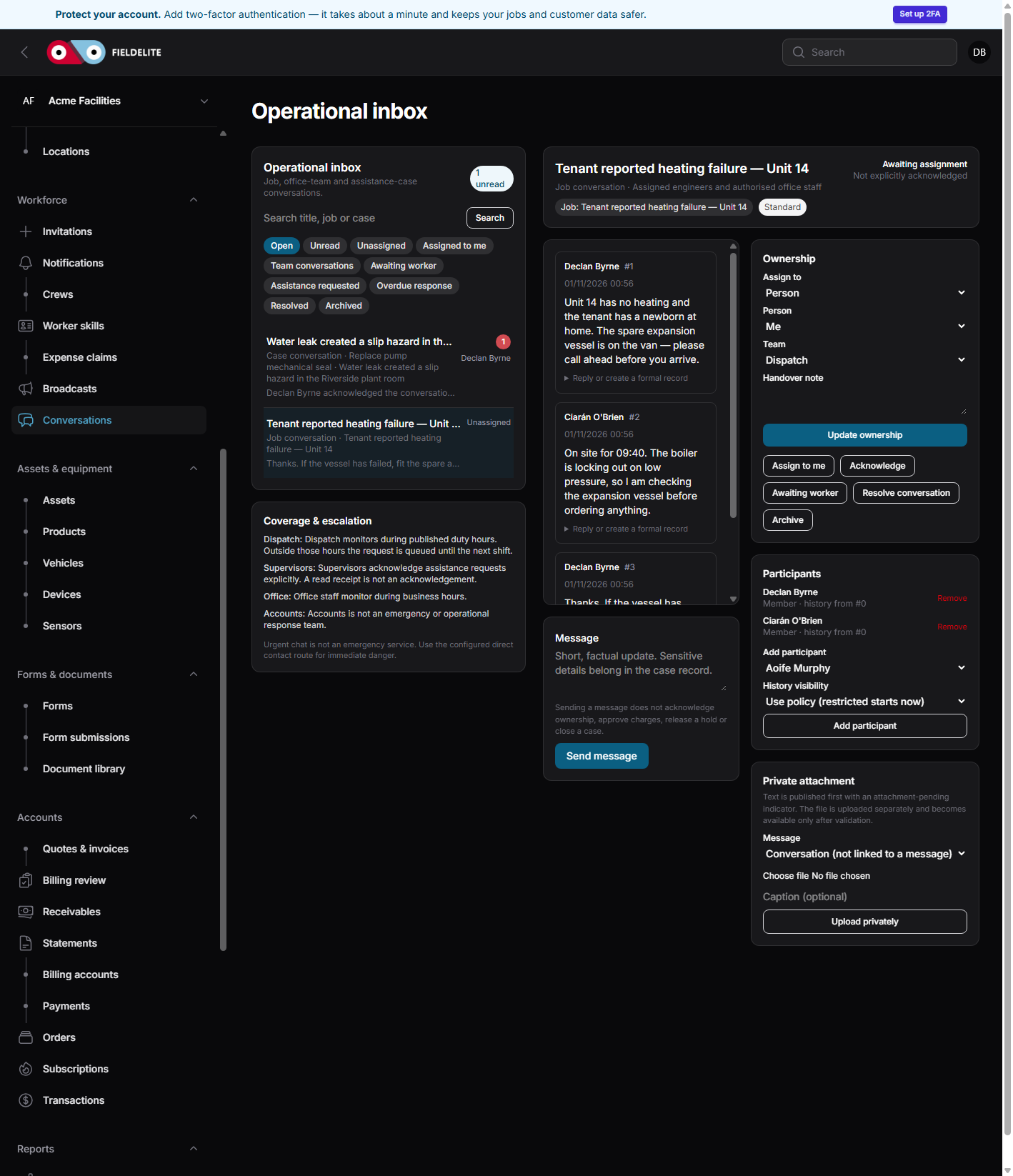
Job messaging that stays with the job
Keep the parts question, the access change and the customer update in one thread instead of someone's personal phone.
The problem
The office asks the engineer to call when they arrive. The engineer texts a photo to a colleague. The customer rings the office because nobody told them the part is not on the van. The information exists, but it is scattered.
What you get
Job threads
The conversation belongs to the job, so the next person can read the history.
Photos and files
Send the photo, the parts list or the access note without switching to email.
Notification that fits
In-app, email and push notifications follow the user's preferences.
Tenant isolation
Messages stay inside the workspace. Customer portal users see only what is shared with them.
How it works
Open the job
Start from the job or case so the thread has context.
Ask the question
Send a message, photo or file to the office or the assigned team.
Get an answer
The reply stays in the same thread and notifies the right person.
Keep the record
The thread remains part of the job history for the next visit.
Works with
Questions about this feature
Can customers see internal messages?
No. Customer portal messages are separate from internal job and case threads.
Does it work offline?
The PWA and Android app can queue a message while offline and send it when the connection returns, depending on the client.
Can we use WhatsApp instead?
You can, but the conversation leaves the job record. FieldElite keeps the message, attachment and decision with the work.
Can we turn it off?
Yes. Operational messaging is a tenant module and can be switched off if the team does not use it.
See it with your own jobs
Book a short walkthrough and bring one real job, site or contract.
Start your 30-day free trialKeep reading
Help articles for this feature
From the blog
A job loses context every time it changes hands. Here is how one connected record covers the customer, the site, the engineer, the evidence and the invoice — with a walk through the FieldElite demo workspace.
Most of the expense admin is not the approval. It is finding the receipt, reading it and retyping the same totals. OCR removes the retyping, but only if a person still checks the result.
A leak at a managed site becomes a scheduled job, a signed RAMS, photo evidence, an OCR receipt and a paid invoice.