Feature
Job scheduling that keeps the day realistic
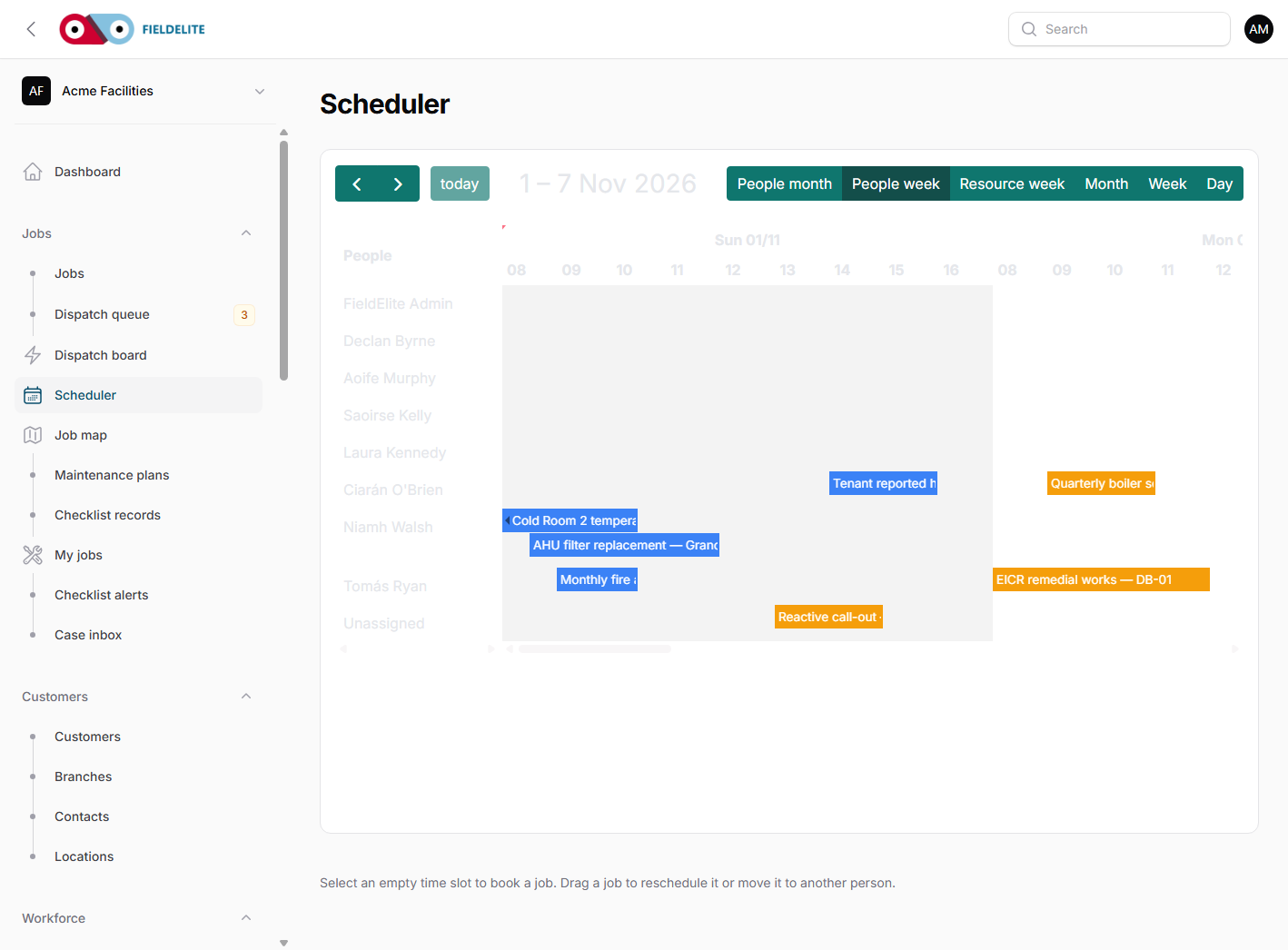
Plan the team on a timeline, move work in seconds and see the effect before you commit.
The problem
Most scheduling problems start with a spreadsheet and a phone call. The dispatcher moves a job, forgets a skill requirement, and finds out at 08:10 that the engineer cannot get access. The customer is already waiting.
What you get
Team timeline
See the week, the day and each worker's allocation. Drag a job to a new slot and the schedule updates.
Skills and availability
Compare who is qualified, who is free and who is already carrying too much work.
Travel and location
Use the job map and travel time to avoid sending someone across the county for a 20-minute visit.
Safety gates
A job with an incomplete RAMS or an outstanding vehicle defect cannot be quietly assigned.
How it works
Create or import the job
Add the customer, site, asset, required skills and access notes.
Find the right worker
Compare availability, skills, distance and current workload.
Move the job
Drag it onto the timeline. The assignment history and any conflicts are recorded.
Send it to the field
The job appears in the worker app with the notes, checklists and documents they need.
Works with
Questions about this feature
Can I reschedule by dragging?
Yes. You can move a job on the scheduler and the assignment history keeps the old and new times.
Does it check working hours?
It warns when a move creates a conflict with working hours or an existing assignment.
Can a dispatcher override a safety gate?
A manager can record an override with a reason. A failed critical check, missing signature or open significant change cannot be overridden.
Does it work for multiple depots?
Yes. Branches, crews and worker skills let you schedule across depots without mixing the teams.
See it with your own jobs
Book a short walkthrough and bring one real job, site or contract.
Start your 30-day free trialKeep reading
Help articles for this feature
From the blog
A job loses context every time it changes hands. Here is how one connected record covers the customer, the site, the engineer, the evidence and the invoice — with a walk through the FieldElite demo workspace.
Most of the expense admin is not the approval. It is finding the receipt, reading it and retyping the same totals. OCR removes the retyping, but only if a person still checks the result.
A leak at a managed site becomes a scheduled job, a signed RAMS, photo evidence, an OCR receipt and a paid invoice.