Feature
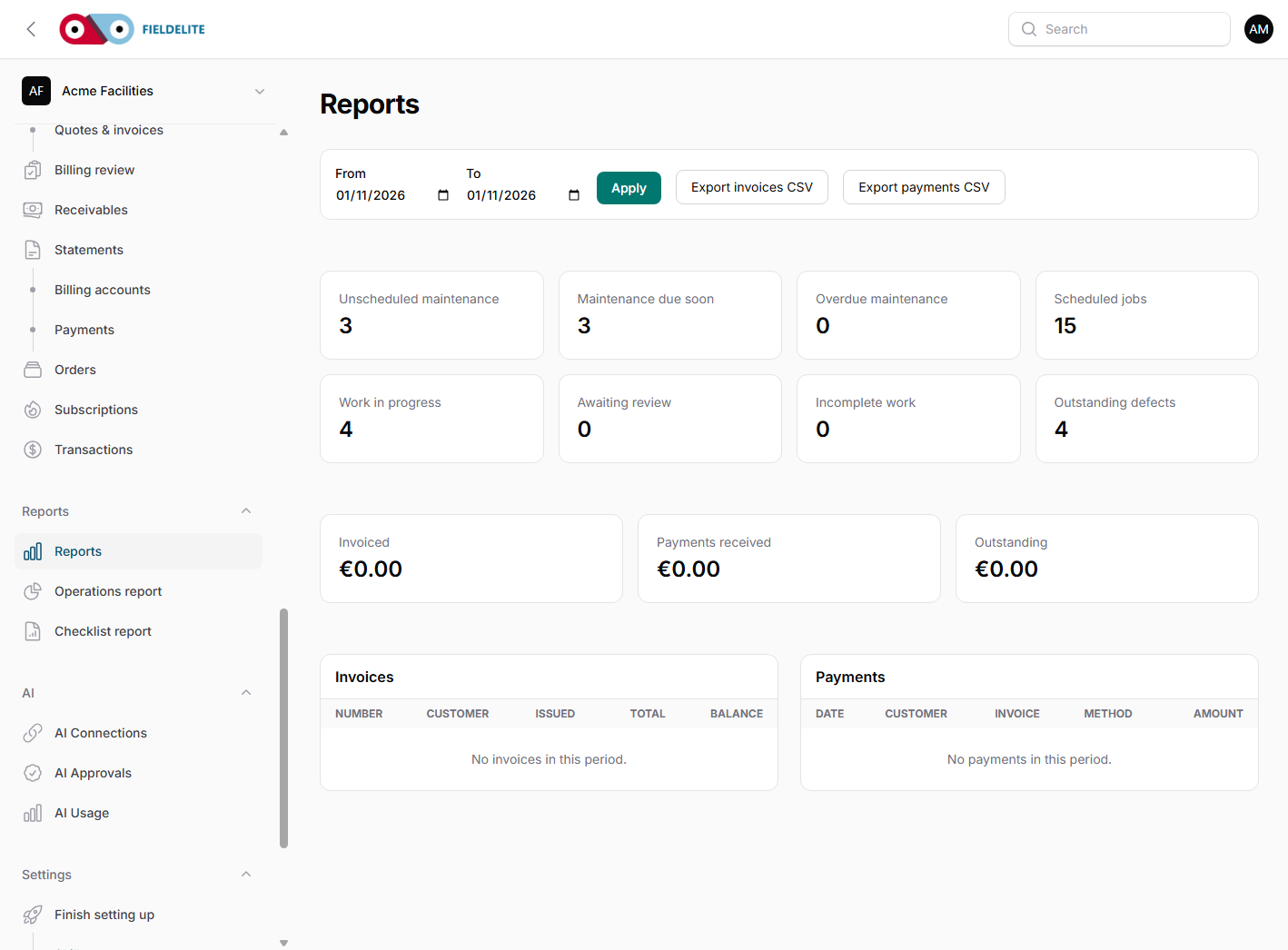
Reports the office and accountant can use
See what was invoiced, what was paid, what is outstanding and where the work is stuck.
The problem
The month-end report is a spreadsheet built from three systems. Nobody is sure whether the outstanding total includes the credit note or the payment that cleared yesterday.
What you get
Operations report
Jobs by status, first-time fix, response and completion.
Receivables
Invoiced, paid and outstanding totals with ageing.
Expenses
Spend by worker, category, VAT and period, with receipt thumbnails.
CSV and PDF
Use the export that fits the reader instead of rebuilding the report.
How it works
Choose the report
Operations, receivables, expenses or checklist report.
Set the period and filters
Use the date range and the filters that match the question.
Check the denominator
The checklist report states what is included and what is excluded.
Export
Download CSV for analysis or PDF for a branded summary.
Works with
Questions about this feature
Can I get a report by customer?
Yes. Most reports can be filtered by customer, branch, worker, status or date.
Does the checklist report count offline devices?
Offline devices are shown as not received, not as not completed.
Can the accountant open the export?
CSV opens in Excel and the PDF is a normal report. Agree the columns you need before month-end.
Is there a dashboard?
The dashboard shows current work and the main totals. The reports give the detail and export.
See it with your own jobs
Book a short walkthrough and bring one real job, site or contract.
Start your 30-day free trialKeep reading
Help articles for this feature
From the blog
A job loses context every time it changes hands. Here is how one connected record covers the customer, the site, the engineer, the evidence and the invoice — with a walk through the FieldElite demo workspace.
Most of the expense admin is not the approval. It is finding the receipt, reading it and retyping the same totals. OCR removes the retyping, but only if a person still checks the result.
A leak at a managed site becomes a scheduled job, a signed RAMS, photo evidence, an OCR receipt and a paid invoice.