Feature
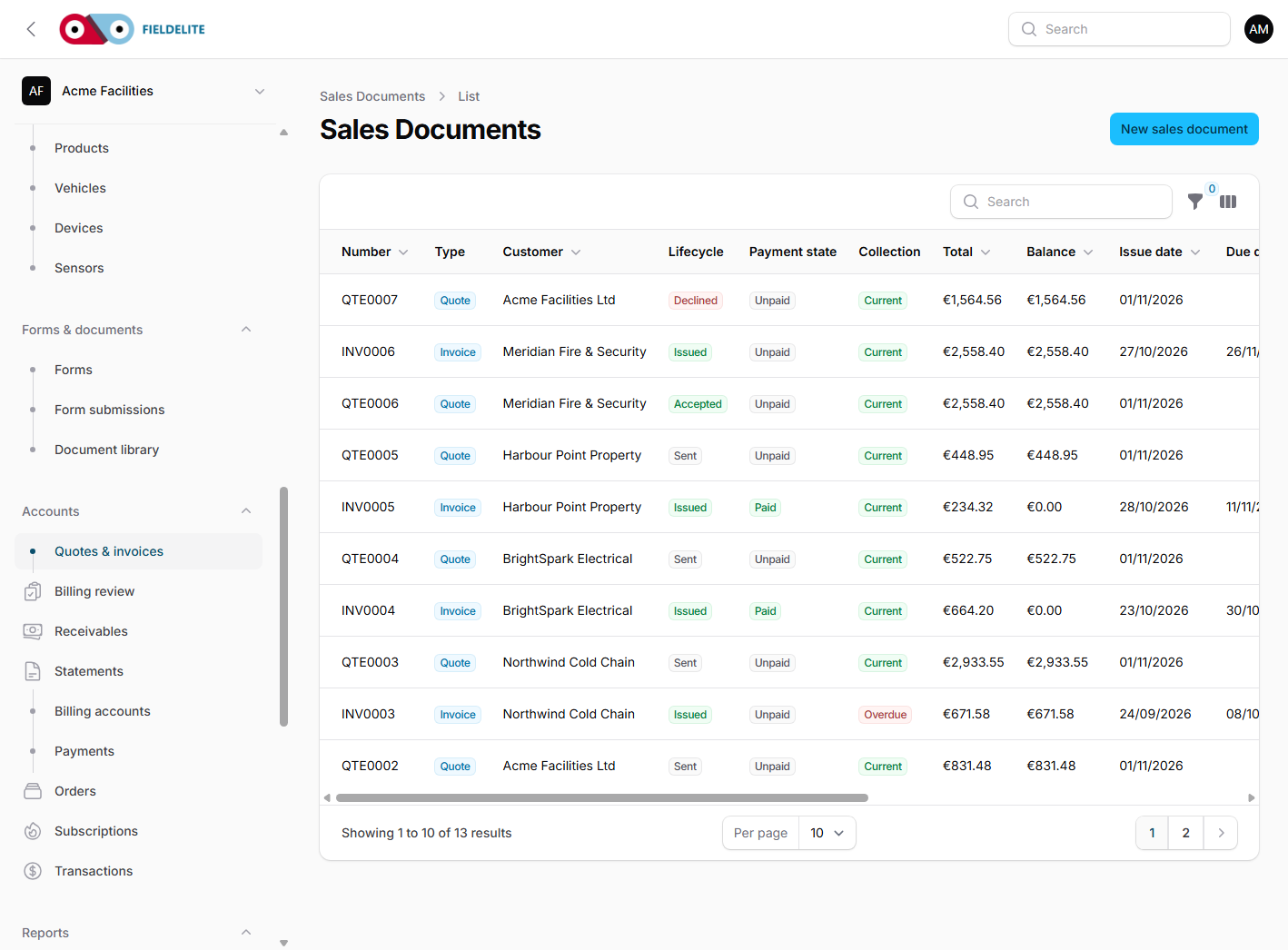
Quotes, invoices, credit notes and payments
Move from the completed job to a quote, invoice and payment without retyping the work.
The problem
The job is done on Friday. The invoice is built on Monday from a paper sheet, and the parts are guessed. The customer queries the total and the office spends the week rebuilding a job that was already recorded.
What you get
Quotes with revisions
Build the quote from the job, send it, and keep the revision the customer accepted.
Invoices and credit notes
Convert an accepted quote, issue a credit note and keep the audit trail.
Payments and balances
Record payments, allocate them to invoices and see what remains outstanding.
Statements and exports
Generate a customer statement and export the ledger for the accountant.
Card payments from the portal
Customers pay an outstanding invoice online. Settlement comes from the signed provider webhook, never a browser redirect.
Xero, Sage and QuickBooks
Choose a provider during setup and push contacts and issued invoices with an audited external reference.
Job profitability
See invoiced revenue against known labour, material and expense cost, with unbilled work and missing-cost warnings.
How it works
Price the work
Use job lines, products, labour and tax to build the quote.
Get acceptance
Send the quote from the portal or by email and keep the acceptance.
Invoice
Convert the accepted quote to an invoice with the job evidence attached.
Record payment
Allocate the payment and let the balance update.
Reconcile and report
Refunds, card settlement, accounting references and profitability stay attached to the same record.
Works with
Questions about this feature
Does it handle Irish VAT?
Yes. VAT rates and tax rules are configurable, and EU VAT numbers can be validated through VIES.
Can we issue credit notes?
Yes. Credit notes link to the original invoice and keep the balance correct.
Can we export to Excel?
Yes. Reports export to CSV, which opens in Excel.
Does it replace Xero or Sage?
No. It can hold the quote-to-cash record and push contacts and issued invoices to Xero, Sage Business Cloud Accounting or QuickBooks Online. Your finance system remains the book of record.
See it with your own jobs
Book a short walkthrough and bring one real job, site or contract.
Start your 30-day free trialKeep reading
Help articles for this feature
From the blog
A job loses context every time it changes hands. Here is how one connected record covers the customer, the site, the engineer, the evidence and the invoice — with a walk through the FieldElite demo workspace.
Most of the expense admin is not the approval. It is finding the receipt, reading it and retyping the same totals. OCR removes the retyping, but only if a person still checks the result.
A leak at a managed site becomes a scheduled job, a signed RAMS, photo evidence, an OCR receipt and a paid invoice.