Facilities management without the spreadsheet: PPM, reactive work and tenant-ready evidence
Facilities teams rarely have a single, tidy workflow. They have a planned maintenance calendar, a queue of reactive calls, a list of tenants, a set of contractors and a folder of certificates. The work is not the hard part. Keeping the evidence together is.
The Acme Facilities Ltd scenario in the FieldElite demo workspace is deliberately ordinary: three buildings, a small in-house team, planned pump inspections, a leak that needs a decision, and a tenant who wants proof that the work was done.
Start with the building, not the job
Most job systems start with a job form. Facilities work starts with a place. Which building? Which plant room? Which asset? Who has access? What happened last time?
In the demo, Acme Facilities Ltd has three sites: Head Office, Riverside Offices and Grand Canal Retail Park. Each site has contacts, a billing profile and portal access. The pump is asset PMP-0042, with a QR label, a plant-room location and a service history.
That structure pays off in the field. Scanning the QR label opens the right asset, not a search result that happens to have a similar name. The engineer can see the previous seal replacement, the last inspection and the defects raised against it.
Planned maintenance needs a queue, not a reminder
A recurring inspection is not a calendar entry. It is an obligation with a due date, a checklist, an eligible engineer and a record of completion. If it is missed, someone needs to see that before the customer does.
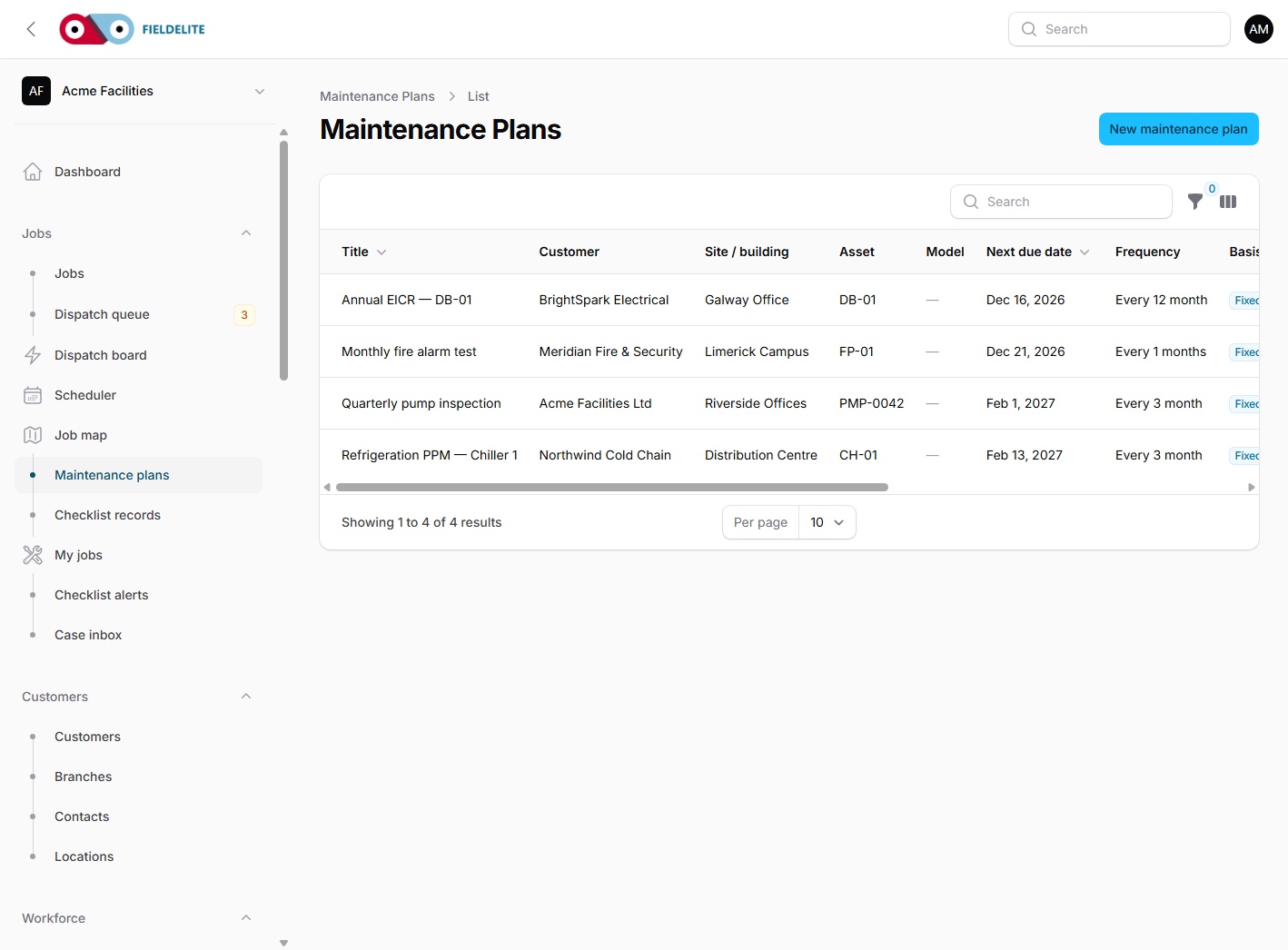
The demo includes a Quarterly pump inspection maintenance plan. The plan generates the next occurrence into the dispatch queue. That gives the office one place to see what is due, what is overdue and who is available.
For a facilities team, the same pattern applies to fire dampers, emergency lighting, lift inspections, gutter clearing and statutory testing. The plan holds the rhythm. The job holds the evidence.
Reactive work: make the next decision obvious
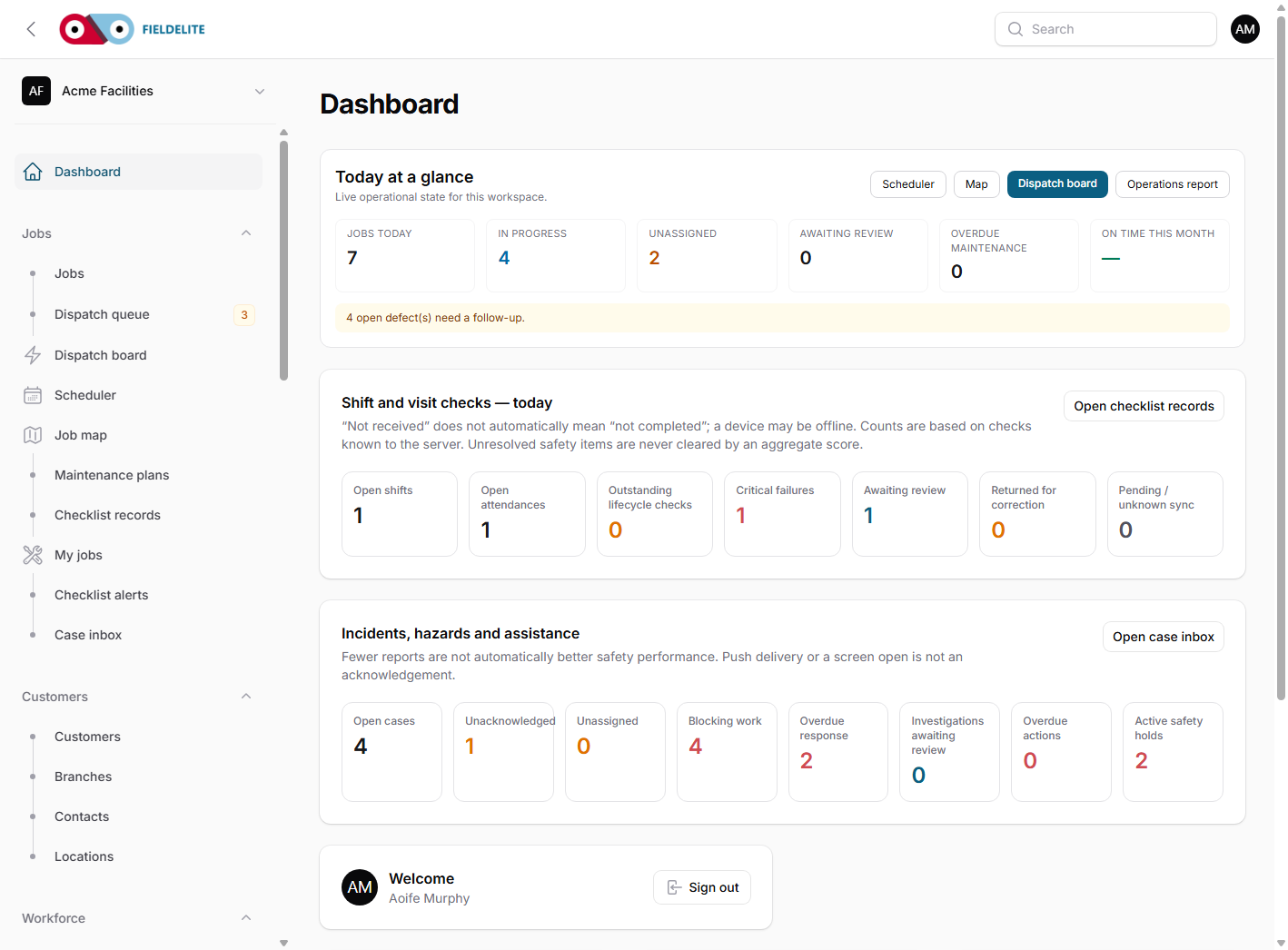
On the demo dashboard, the numbers tell the story: 5 jobs today, 4 in progress, 1 unassigned, 3 open defects. The unassigned leak is the one that needs a decision.
Open the dispatch board and the candidates are ranked by skills, distance and workload. The dispatcher is not asked to remember who is nearby or who has the right ticket. The board puts the information in one place and leaves the decision with a person.
That distinction matters. Automation should not silently choose an engineer for a tenant-occupied building. It should surface the best candidates and keep the dispatcher accountable for the choice.
Proof for the tenant
The pump job carries a checklist, before-and-after photos, a defect and an on-hold reason. When the job is complete, the evidence is already attached. Nobody has to reconstruct the visit from a phone camera roll.
If the job goes on hold, the reason is part of the record. The next engineer sees why the work stopped and what is needed to release it. The customer sees a status rather than a promise.
For tenants, that evidence is often the difference between a query and a dispute. For the facilities manager, it is the difference between a five-minute update and a twenty-minute search.
Close the loop commercially
The demo quote QTE0002 is waiting for customer acceptance. The customer signs in to the portal, reviews the quote and accepts it. The office converts the accepted quote into an invoice without re-keying the line items. Receivables show the partially paid invoice and its ageing.
This is where many facilities workflows break. The operational job is finished, but the commercial record lives in a different system, with a different reference and a different version of the truth. Keeping the quote and invoice on the same job removes that gap.
What to roll out first
- One building. Load the site, contacts, access notes and the assets the team actually maintains.
- One PPM contract. Create the plan, the checklist and the dispatch queue before adding every statutory inspection.
- One reactive queue. Use the dispatch board for a single category of call-out and review the decisions after two weeks.
- One portal customer. Invite the tenant who asks the most questions. Let the portal answer the routine ones.
Plan fit
Starter covers job scheduling, customer records, quotes and invoices, the mobile app, checklists, scanning, preventive maintenance and the customer portal — enough for a small team to run one building properly. Growth adds more users, forms, customer notifications, payment processing and operational messaging. Professional adds multi-location, the dispatch board, live map, SLA tracking, case management and inventory, which is usually where a multi-site facilities operation lands. Enterprise adds customer tracking links, PO and invoice billing, SSO and custom integrations.
Compare the plans, or start a 30-day trial and model your first building.
The Acme Facilities scenario comes from the FieldElite demo workspace and is illustrative, not a real customer result.